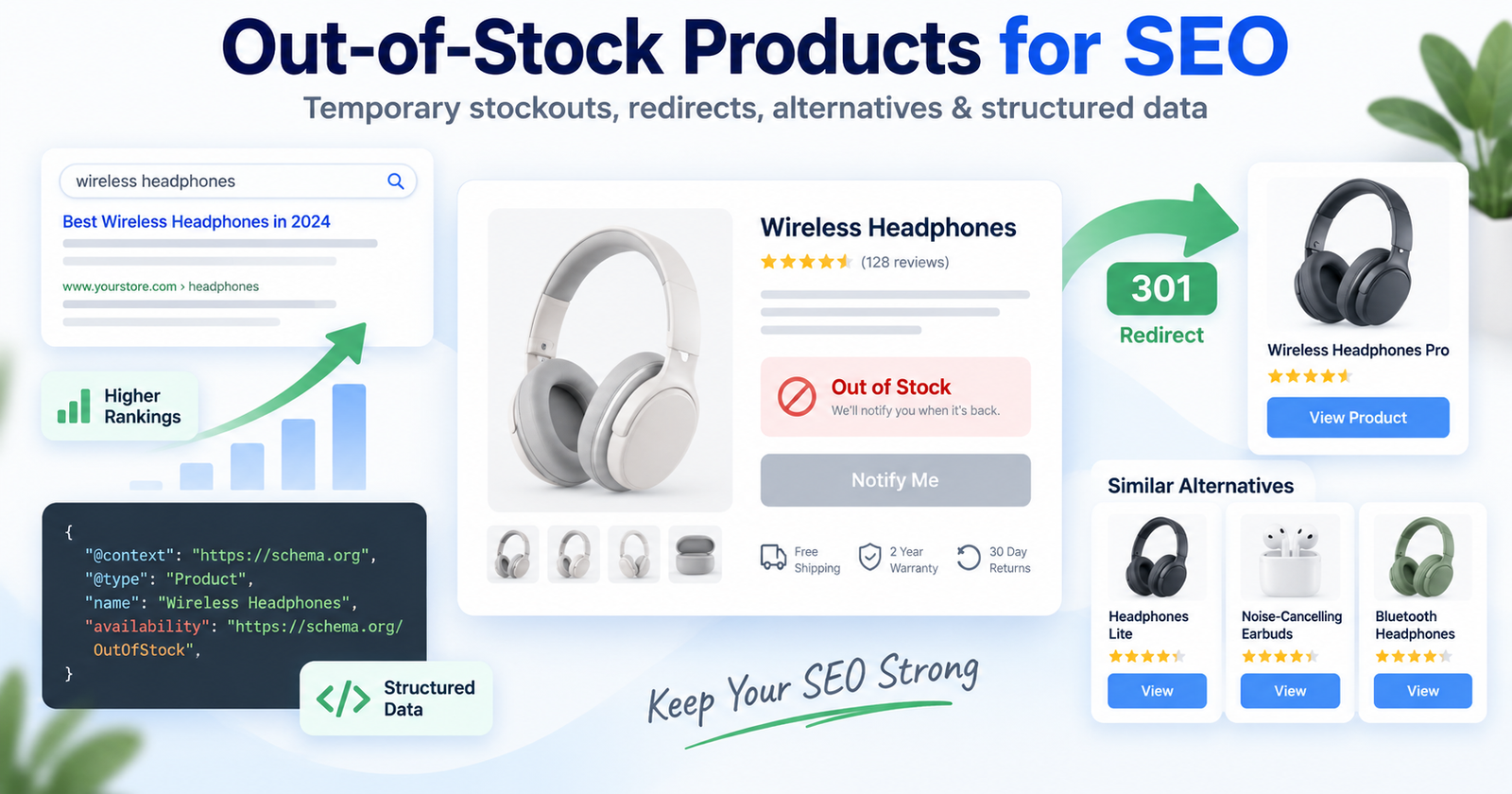
When a product goes out of stock, the best SEO action depends on (1) whether the item will return; (2) whether the Product Page has Organic Rankings, backlinks, or useful search demand; (3) whether a close Alternative Product exists; and (4) whether the page still provides a good User Experience. Keep a Temporarily Out of Stock Product URL live when replenishment is likely, show accurate Product Availability, offer a Back-in-Stock Notification, and recommend Related Products. For a permanently Discontinued Product, use a relevant 301 Redirect to a genuine replacement; otherwise, return a helpful 404 Page or 410 response instead of redirecting users to an unrelated page.
What Happens in SEO When a Product Is Out of Stock?
An out-of-stock status does not automatically mean you should delete a Product Page. Removing it too quickly can eliminate Indexation, Internal Links, backlinks, and Organic Rankings. However, leaving unavailable products visible without useful information can damage User Experience and conversions.
Google recommends accurate availability through Product Schema and other Structured Data. Product data can make pages eligible for richer Search appearances showing price, availability, ratings, shipping, or returns.
Temporary versus permanent unavailability
If Product Inventory should return, keep the Product URL live and label it Temporarily Out of Stock. Add a reliable restock date, Back-in-Stock Notification, Related Products, or Alternative Products, while preserving useful product details.
If the manufacturer permanently ended the product, decide whether a close replacement, relevant category, or useful historical information justifies keeping the page.
Update product availability signals
Synchronize the visible stock message, Product Schema, inventory feed, and any Google Merchant Center data. Google states that availability data helps customers understand whether a product is in stock, and using both page Structured Data and a Merchant Center feed can help Google understand and verify product information. Never mark an item as InStock when shoppers cannot purchase it.
What Should You Do With Temporarily Out-of-Stock Products?
For a short-term stockout, the default Ecommerce SEO recommendation is usually to keep the Product Page live and useful. This preserves the Product URL and allows shoppers who arrive from Search Results, bookmarks, or external links to understand the situation instead of reaching a dead end.
Keep the page live and useful
Display “out of stock” near the purchase area, explain the next step, and provide a Back-in-Stock Notification. Keep features, compatibility, reviews, media, and Relevant Internal Links to Related Products visible.
John Mueller’s guidance, as reported by Search Engine Journal, recommends keeping genuinely temporary product pages online and using structured data to communicate the current availability. He also noted that deliberate Internal Links, including links from the homepage when a product returns, can help Google discover the change.
Offer relevant alternatives
To find alternatives, compare use case, size, compatibility, price, and customer need. Label recommendations honestly as “similar products,” “replacement options,” or “available alternatives.”
Recommend a related model, newer version, different size, or in-stock category. This protects User Experience without pretending the original product is available.
How Should You Handle Discontinued Products?
When an item will never return, remove or redirect it deliberately based on relevance, links, demand, and whether another page fulfills the same Search Intent. See search intent in SEO.
Use a 301 redirect only for a close replacement
A 301 Redirect is appropriate when a discontinued product has a direct successor or close replacement. The destination must satisfy the same need. Do not redirect to an unrelated item, homepage, or generic sale page.
Without a suitable replacement, return a clear 404 Error or 410 with a helpful 404 Page. Guide visitors to relevant categories or Alternative Products, remove obsolete Internal Links, and update XML Sitemaps.
How Can Inventory Management Support Ecommerce SEO?
SEO and Inventory Management should share product-status rules for temporary stockouts, discontinued products, preorders, backorders, and regional availability. Consistency prevents conflicting page text, Product Schema, feeds, and redirects.
Audit indexation and product URLs
Review Search Console, crawl data, analytics, and Product Inventory reports for impressions, clicks, backlinks, and conversions. Keep valuable temporary pages useful; consolidate thin variants and assess Organic Rankings before removing discontinued URLs.
A page’s crawl and index status are separate concepts. Read this guide on crawling vs. indexing before assuming that a missing product from Search Results is caused by inventory alone. For large catalogs, a professional ecommerce SEO consultant can audit templates, faceted navigation, canonicals, feeds, and inventory workflows.
What Are the SEO Risks of Removing Product Pages?
When keeping a page is valuable
Deleting an out-of-stock page can cause a 404 Error, broken Internal Links, lost referral traffic, and lost product information such as manuals or reviews. Keeping valuable temporary pages live can preserve search demand and User Experience.
When removal is justified
Keeping every unavailable URL forever can frustrate customers and create low-value pages. Measure page value, forecast inventory, evaluate replacement relevance, and choose the action that serves both searchers and operations.
Out-of-Stock Product SEO Checklist
Before changing a page, confirm the stock status and expected return date. For temporary stockouts, keep the Product URL live, display accurate Product Availability, update Product Schema, provide a Back-in-Stock Notification, and link to Related Products. For discontinued items, select a close replacement for a 301 Redirect or provide a useful 404 Page when no relevant destination exists.
Keep feeds and page content synchronized, remove obsolete links, and monitor Indexation, Organic Rankings, conversions, and user behavior. Never redirect only to avoid a 404 or mark an unavailable item as in stock. Combine accurate inventory management, alternatives, technical SEO, and User Experience.