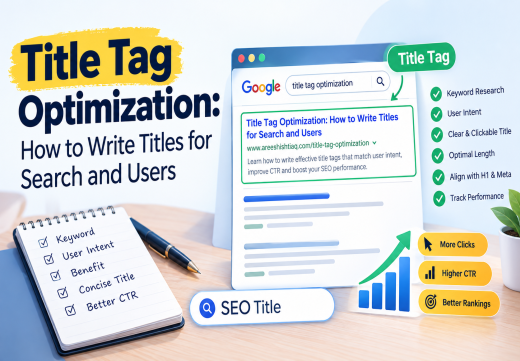
Title Tag Optimization is the process of writing a unique, clear HTML <title> that accurately describes a page, matches User Intent, and earns the right click from the Search Engine Results Page. The practical method is to research the query and searcher goal place the primary topic naturally near the beginning communicate a specific benefit within a concise Title Length; and measure clicks and Click-Through Rate in Google Search Console. This helps Google understand the page and gives users a reliable reason to choose it, although Google may rewrite an unclear or inaccurate title.
What Is Title Tag Optimization?
Understand the Title Tag and SERP Snippet
A Title Tag is the <title> element in a page’s HTML <head>. It can appear as the clickable headline in Google, browser-tab label, and link preview. It is not the visible H1, although both should describe the same purpose.
In Google, the title usually appears above the URL and SERP Snippet. It helps a searcher decide whether the result is relevant. Google can generate a title link from the <title>, visible main title, H1, other headings, prominent text, anchor text, and links pointing to the page. The HTML title should therefore match the page rather than make an unsupported promise.
Why title tags matter for SEO
A descriptive title gives search engines topical context and users a clear expectation. It can support SEO, On-Page SEO, and CTR, but it is only one of many Ranking Factors.
A weak title can reduce clicks even when a page ranks well. “Home,” duplicate product titles, vague wording, and keyword-stuffed phrases do not tell users why a result is useful. Google recommends unique, concise titles that accurately describe each page and warns against repetitive keyword text.
Research Before Writing the Title
Use keyword research and user intent
Start with Keyword Research, not search volume alone. Identify the primary query, related wording, and goal. “How to” often needs a process, “best” suggests comparison, and “pricing” or “buy” can signal commercial or transactional intent.
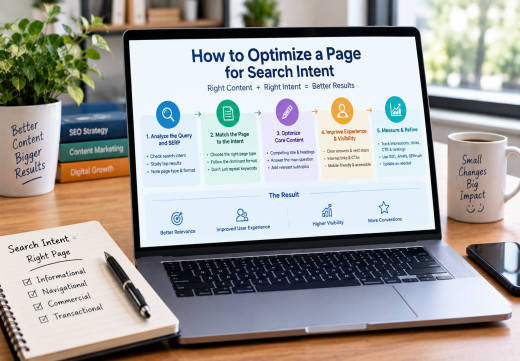
The title should promise the same outcome as the page. A guide titled “Buy Running Shoes” creates the wrong expectation, while a product page titled “How to Choose Running Shoes” attracts visitors who need education. Review How to Optimize a Page for Search Intent before finalizing the angle.
Study the SERP and competing titles
Search the target query and examine visible results. Look for recurring formats, modifiers, benefits, dates, and value words. A SERP dominated by guides needs a different title from one dominated by reviews or service pages.
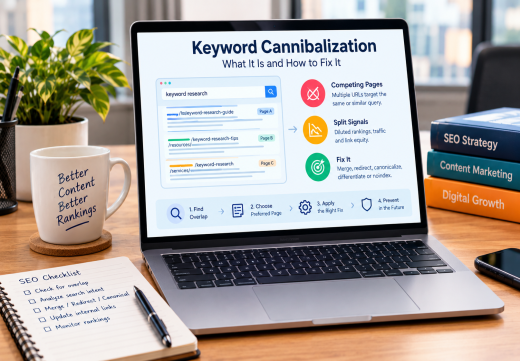
Use Ahrefs, SEMrush, or Moz to compare ranking pages and related terms. Use research for direction, not imitation. If another URL targets the query, review Keyword Cannibalization first.
Write a Clear, Clickable SEO Title
Place the keyword naturally
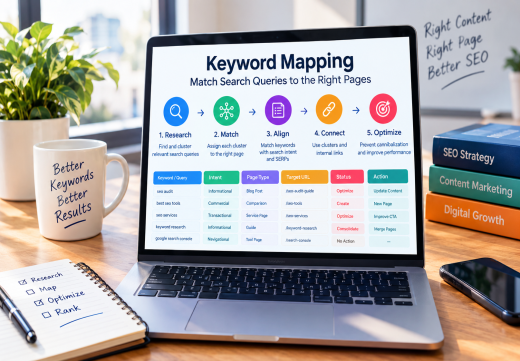
Use Keyword Placement to make the topic obvious, usually near the beginning when natural. Include the primary keyword once. Related terms can clarify the page, but every variation weakens readability.
“Title Tag Optimization: Write Better SEO Titles” is clearer than “Title Tag Optimization SEO Title Tag SEO Title Keywords.” Google specifically advises avoiding keyword stuffing and repeated phrases in title elements.
Add a benefit, qualifier, or brand name
A useful title tells searchers what they gain. Add a benefit, qualifier, or current year only when the page supports it.
A Brand Name can reinforce recognition on a homepage, service page, or product page. Put it at the end with a separator when space allows. Avoid long boilerplate on every URL. Google recommends concise branding and unique page text.
Optimize Title Length and Supporting Elements
Keep title length concise
Google has no fixed character limit for a <title>. It truncates title links to fit device width and may rewrite titles that are long, vague, repetitive, or inaccurate. Many SEOs use 50–60 characters or a pixel preview as a practical benchmark, not a ranking rule.
Write the topic first so the title remains useful if shortened. Remove filler, repetition, punctuation, and boilerplate. Yoast SEO, Moz, and SEMrush preview tools can inspect display width, but read the title aloud.
Align supporting page elements
Coordinate the title with the Meta Description, H1, and opening. They need not be identical, but should reinforce one topic and intent.
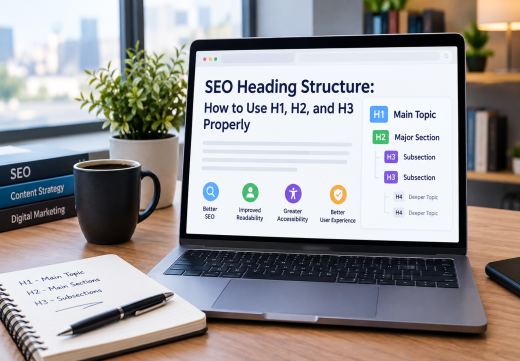
For related page-level improvements, see SEO Heading Structure and On-Page SEO Services from an On-Page SEO Consultant.
Avoid Common Title Tag Mistakes
Avoid reusing one title across URLs. Unique titles help users distinguish pages and Google identify the relevant result. Do not conflict with the H1 or content; Google may use visible headings, anchor text, or other prominent text when the HTML title is unclear.
Content Optimization starts with relevance and accuracy, not clickbait. Avoid unsupported promises about rankings, prices, or features. A higher CTR matters only when the visit satisfies the searcher.
Measure and Refine Title Performance
Use Google Search Console to compare impressions, position, clicks, and Click-Through Rate before and after a change. Filter by page and query. If CTR improves while position stays similar, the wording may be more compelling; if impressions rise without clicks, it may not match expectations.
Allow time for Google to recrawl the page. Ahrefs, SEMrush, and Moz can identify missing, duplicate, overlong, or underperforming titles, while Yoast SEO provides WordPress checks. Prioritize pages near the first page and revisit titles when intent or content changes.

Areesh Ishtiaq
Freelance SEO Professional helping businesses improve visibility across Google Search, Google Maps and AI-powered search.
Explore Areesh IshtiaqFrequently Asked Questions
It improves an HTML title so it represents the content, matches intent, supports SEO, and encourages qualified clicks.
Google has no fixed limit. Keep wording concise and use 50–60 characters or a pixel preview as a benchmark.
Usually, when it accurately describes the page. Place it naturally near the beginning, but never repeat it or add unrelated variations.
They can be the same or similar. The title tag targets the result and browser tab, while the H1 is the visible heading. Both should match the intent.
Use Google Search Console to compare impressions, clicks, CTR, and position before and after the change. Interpret results alongside conversions.