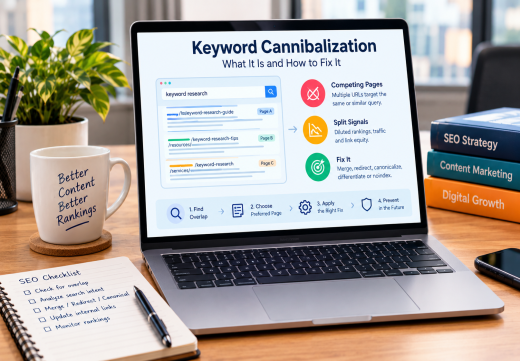
Keyword Cannibalization occurs when two or more pages target the same or closely related query with overlapping Search Intent. It can weaken SEO, but multiple pages ranking for one broad or branded term are not automatically a problem. The fix is to confirm overlap, choose the preferred page, merge, redirect, canonicalize, differentiate, or noindex according to page roles, and prevent overlap through keyword mapping and internal linking.
What Is Keyword Cannibalization?
When similar pages compete for one search need
Keyword cannibalization is an internal competition problem in Search Engine Optimization. It happens when multiple URLs target one query or keyword cluster without clear roles. For example, three posts about “how to do keyword research” may target one informational need.
Search engines may rank different URLs at different times, show a weaker page, or split clicks and links. The result can be inconsistent visibility.
Cannibalization is not simply duplicate content
Duplicate content means substantially similar material is available at more than one URL. Cannibalization can involve duplicate content, but it can also affect original pages with the same intent. Two pages may mention the same keyword without competing if they serve different products, audiences, or tasks.
Do not diagnose it from keyword repetition alone. Compare purpose, format, audience, content depth, and SERP results. A branded homepage, service page, and support page may all rank legitimately.
Why Cannibalization Can Hurt SEO
Ranking and organic traffic signals become divided
When pages compete, the preferred page may not receive the strongest relevance signals. Backlinks, internal links, impressions, clicks, and engagement can spread across URLs, causing rankings to change.
Google does not automatically apply a penalty. The issue is unclear page ownership. If neither page satisfies the query, both may underperform compared with one focused resource. Yoast describes weaker rankings, diluted links, and lower click-through performance.
Content strategy and user experience suffer
Cannibalization makes keyword research harder to turn into content strategy. Writers may create near-duplicate articles while content gaps remain.
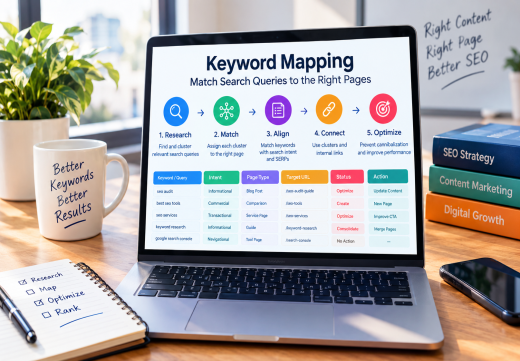
A clear keyword mapping process gives each important query cluster a preferred page and a distinct purpose. Learn how to assign queries to URLs in Keyword Mapping: How to Match Search Queries to the Right Pages.
How to Find Cannibalized Keywords
Use Google Search Console to compare URLs
Start with Google Search Console. In the Performance report, filter by a query and inspect the Pages dimension. Compare URLs receiving impressions, clicks, click-through rate, and average position. Results vary by time, location, and device.
Multiple visible pages are a signal, not proof. Read each URL and determine whether the pages answer the same question or serve different customer-journey stages.
Combine site searches and SEO crawling tools
Use Google’s site:example.com keyword operator to find related URLs, then crawl with Screaming Frog to review titles, H1s, canonical tags, internal links, and indexability. Ahrefs, SEMrush, Moz, and Moz Pro can reveal ranking URLs, overlap, backlinks, and traffic.
A content audit should record each page’s target keyword, intent, URL, rankings, traffic, conversions, backlinks, and action. Look for similar titles, repeated angles, and URLs switching positions.
Decide Whether Pages Should Stay Separate
Compare search intent before changing URLs
The best decision depends on intent. Read The Main Types of Search Intent to distinguish informational, navigational, commercial, and transactional needs. Keep pages separate when they serve different audiences or purposes.
Keep pages separate when each has a unique SERP format, conversion goal, or valuable traffic. Differentiate them with headings, examples, FAQs, internal links, and calls to action. If both answer the same need, consolidate.
Select the preferred page using evidence
Choose the URL with the strongest performance, content, backlinks, conversions, and query alignment. Do not choose only because it is newer or uses the exact keyword in its title.
Update the preferred page with valuable sections from weaker pages, remove duplication, revise its title and headings, and record the decision in your keyword map.
Apply the Right Cannibalization Fix
If two pages serve the same intent and one is unnecessary, merge the best information into the preferred URL and add a permanent 301 redirect from the retired URL. Update internal linking, navigation, XML sitemaps, and references to point directly to the preferred page.
Use a canonical tag when duplicate or near-duplicate URLs must remain accessible, such as parameter variations. Google treats redirects and rel=”canonical” as strong signals, but the target should be indexable and internal links should point to it. A canonical is not a substitute for differentiating pages with different intent.
Use noindex only when a page should not appear in search and other solutions are unsuitable. Do not use robots.txt to choose a canonical. If pages have distinct purposes, improve their content, titles, links, and intent alignment. For page-level improvements, see On-Page SEO Services from an On-Page SEO Consultant.
Prevent Keyword Cannibalization Over Time
Before publishing, check the keyword map and existing URLs. Assign one primary topic to each page, using secondary terms only when they support the same intent. A brief should state the query, audience, page type, angle, and related pages.
Review important topics after publishing projects, migrations, redesigns, and major SERP changes. Yoast SEO can flag duplicate keyphrases, while Rank Math can support optimization and redirects. Use Screaming Frog, Ahrefs, SEMrush, or Moz Pro for audits.
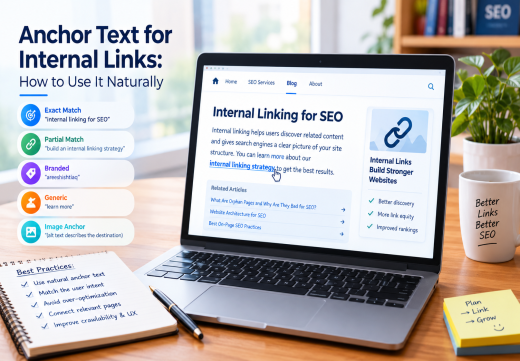
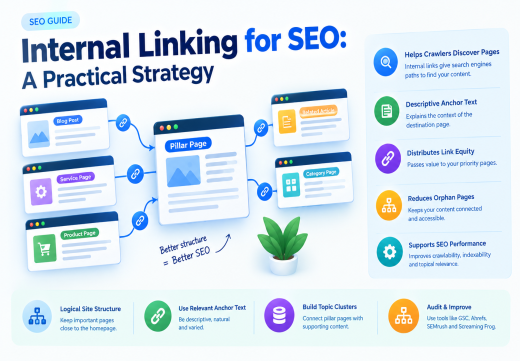
Google recommends descriptive, crawlable internal links because they help discover pages and relationships. Link supporting content to the preferred page with natural anchor text. Monitor rankings, organic traffic, impressions, clicks, and conversions so your content audit stays tied to outcomes.

Areesh Ishtiaq
Freelance SEO Professional helping businesses improve visibility across Google Search, Google Maps and AI-powered search.
Explore Areesh IshtiaqFrequently Asked Questions
It occurs when multiple pages target the same or closely related query with overlapping intent, making ownership unclear.
No. Pages can rank legitimately when they serve different intents, formats, audiences, or branded purposes.
Not automatically. Review traffic, backlinks, conversions, value, and intent. Merge and redirect only when it has no distinct purpose.
Only for duplicate or very similar URLs that must remain accessible. Different-intent pages need differentiation; unnecessary duplicates may need a redirect.
Filter a query in Google Search Console, inspect the Pages report, compare URL intent, and confirm with a site search and tools such as Ahrefs, SEMrush, Moz, or Screaming Frog.