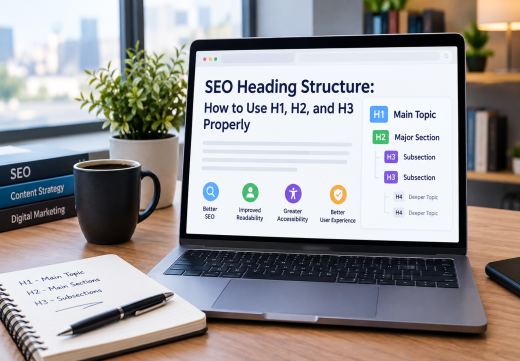
A strong SEO Heading Structure organizes a page for readers, search engines, and assistive technologies. Use one H1 for the main topic, H2s for major ideas, H3s for H2 subsections, and H4 through H6 only for deeper relationships. This improves scanning and accessibility, while headings provide context without replacing useful content or other SEO Best Practices.
What Is an SEO Heading Structure?
Heading tags create a content hierarchy
Heading Tags are HTML Headings from <h1> through <h6> that label a document’s structure. In Markdown, they appear as #, ##, and ###. The H1 Tag is the main heading, the H2 Tag introduces a major section, and the H3 Tag divides it. H4, H5, and H6 continue the hierarchy when necessary.
This is Semantic HTML because the tag communicates the text’s role. A heading should describe the content below it. Use CSS for size, not H2 or H4. Google recommends descriptive headings, one unique H1, and logical levels. MDN explains that headings provide document structure.
Why hierarchy supports SEO and usability
A logical outline makes a page easier to scan. Visitors can find answers quickly, while screen-reader users can navigate by headings. The W3C Web Accessibility Initiative describes headings as a tool for page organization and in-page navigation.
Headings give search engines context about the topic and subtopics, but are not a ranking shortcut. Google says semantic order helps accessibility, while heading number and order alone are not a major Google Search ranking factor. Use headings to clarify content, not manipulate Keyword Optimization.
Use the H1 Tag for the Main Topic
Write one clear and specific H1
The H1 Tag should state what the page is primarily about. On an article, it is usually the visible title; on a service or product page, it should identify the offer accurately.
A good H1 is unique, concise, and written for people. Include the primary keyword when accurate, but avoid repeated search terms.
Most pages should use one H1. It gives users, crawlers, and assistive technology a consistent subject. Do not confuse it with the SEO title tag: the title tag is metadata that may influence the Google Search title link, while the H1 is visible on the page.
Align the H1 with page purpose and intent
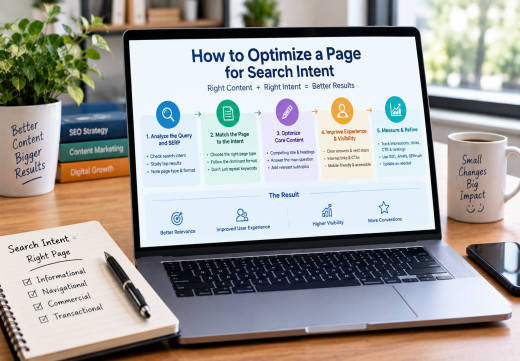
The H1 must match the page’s purpose and the search intent behind its query. A tutorial heading should introduce a tutorial, while a comparison heading should introduce a comparison. This prevents a mismatch between the result and experience.
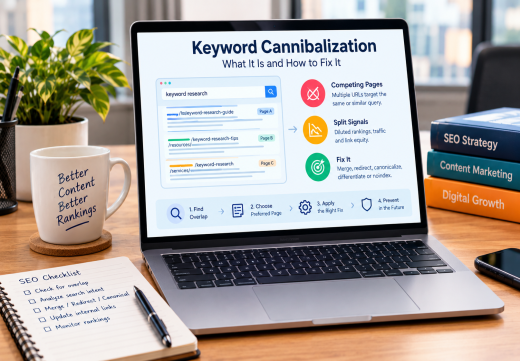
Before writing headings, review How to Optimize a Page for Search Intent. If URLs target the same topic, check Keyword Cannibalization before publishing.
Organize Main Sections with H2 and H3
Use H2 tags for major sections
The H2 Tag divides the page into main ideas. Each should introduce a meaningful section and tell readers what they will learn. Avoid vague labels such as “More Information.”
Scanning the H2 headings should reveal the page’s Content Structure and purpose.
Use H3 tags for related subsections
The H3 Tag belongs under an H2 and breaks a broad section into focused questions, steps, or examples. Introduce the parent H2 before its H3 subsections.
Do not create an H3 for every short paragraph. Use one when it improves navigation or separates a meaningful subtopic. Keep wording natural.
Apply H4, H5, and H6 Carefully
Use deeper levels only for genuine subtopics
The H4 Tag is appropriate when an H3 needs subordinate sections. The H5 Tag and H6 Tag are valid for deeper relationships, but most 1,000-word articles do not need them.
If a page requires many nested levels, simplify it or divide it. Deep structure helps only when it reflects real relationships. MDN recommends using the six levels logically, not for visual size.
Keep heading levels logically nested
A clean sequence moves from H1 to H2, then H3, and deeper only when needed. Avoid jumping from H2 to H4 for visual reasons. Skipped levels can make the outline harder for screen-reader users, even though Google may process the page.
Check headings generated by menus, sidebars, footers, and CMS templates. Use browser inspection tools, an accessibility checker, or a crawler to review the rendered page.
Write Headings for SEO and User Experience
Use Keyword Optimization naturally. Include the main topic in the H1 and related terms in H2 or H3 headings only when accurate. Synonyms and entities can strengthen context, but keyword stuffing harms readability and trust.
A useful heading states what the section covers, what task it explains, or what decision it supports. Specific headings can help search features such as Featured Snippets, but no format guarantees a snippet; the page still needs a clear answer.
Use headings to support On-Page SEO, Readability, Accessibility, and user experience. Put the main answer early and place relevant internal links where they help users continue. For page-level improvements, see On-Page SEO Services from an On-Page SEO Consultant.
Audit and Improve Your Heading Structure
Review the page in an outline view. Confirm that the H1 states one topic, every H2 introduces a major section, and each H3 sits under the correct H2. Check that headings are unique, descriptive, and followed by relevant content.
Read the outline without the paragraphs. If it does not explain the page, revise the Content Hierarchy. Check for visual-only headings, repeated keywords, empty headings, skipped levels, and template-generated H4 or H5 elements. Validate the rendered HTML after publishing.
Finally, compare the structure with search intent and performance. Search Engine Crawling can discover a page without clearly understanding its purpose, so make relationships between the H1, sections, entities, and internal links obvious. Review performance after meaningful updates, but do not judge headings by rankings alone.

Areesh Ishtiaq
Freelance SEO Professional helping businesses improve visibility across Google Search, Google Maps and AI-powered search.
Explore Areesh IshtiaqFrequently Asked Questions
Use one H1 for the main topic, H2s for major sections, and H3s for related subsections. Add H4 through H6 only when deeper nesting is necessary.
One H1 is best practice for most pages. It should describe the primary topic and align with visible content.
They organize content and provide context, but do not guarantee rankings. Relevance, helpful content, accessibility, and page quality also matter.
Avoid skipping levels. Use H3 under H2, and choose levels based on structure rather than font size.
No. Add a keyword only when it naturally describes the section. Clear headings are better than repetition.