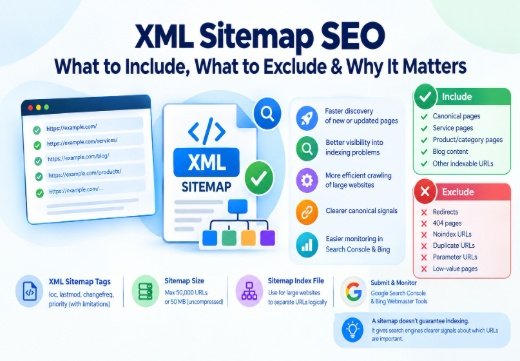
For effective XML Sitemap SEO, your sitemap should contain only canonical, indexable, valuable URLs that you want search engines to discover and potentially display in search results.
In simple terms:
- Include: canonical pages, service pages, product/category pages, useful blog content and other indexable URLs.
- Exclude: redirects, 404 pages, noindex URLs, duplicate URLs, parameter URLs and low-value pages.
- Keep the sitemap consistent with your robots.txt, canonical tags and indexing directives.
- Use an accurate lastmod tag when important content changes.
- Submit your sitemap through Google Search Console and Bing Webmaster Tools.
- For large websites, separate URLs logically and use a sitemap index file.
A sitemap does not guarantee indexing. It provides search engine crawlers with clearer signals about which URLs you consider important. Google specifically describes sitemap submission as a hint rather than a guarantee of crawling or indexing.
What Is XML Sitemap SEO and Why Does It Matter?
An XML sitemap is a machine-readable file built according to the sitemap protocol. It lists URLs and can provide additional information that helps search engines understand changes across a website.
From an SEO perspective, I treat a sitemap as an indexing management tool, not simply a list of every URL a CMS can generate.
Search engines such as Google and Bing can use sitemap information during crawling and URL discovery. The sitemap protocol has also historically been supported across major search engines, including Yahoo and Yandex.
A clean sitemap can support:
- Faster discovery of new or updated pages
- Better visibility into indexing problems
- More efficient crawling of large websites
- Clearer communication of preferred canonical URLs
- Easier monitoring inside webmaster platforms
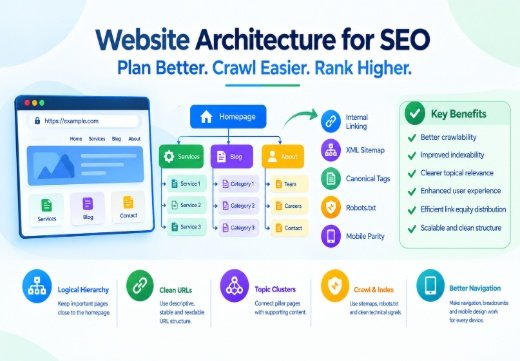
This becomes particularly useful for large ecommerce websites, publishers, directories and sites with complex website architecture.
Sitemaps can also complement your internal links. However, they should never replace strong crawlable navigation. Search engine optimization still depends on crawlable architecture, relevant internal linking and accessible content.
What Should Be Included in an XML Sitemap?
The basic rule I use during technical SEO audits is straightforward:
If a URL is valuable, indexable, canonical and intended to appear in organic search, it is usually a good sitemap candidate.
Canonical and Indexable URLs
Your primary XML sitemap should generally contain URLs such as:
- Homepage
- Main service pages
- Important category pages
- Product pages
- Location pages
- Blog posts and articles
- Evergreen resources
- Other strategically important landing pages
Every URL should normally return a 200 HTTP status code and should be the canonical version of that content.
Google explicitly recommends including URLs that you want to appear in search results and using the preferred canonical version rather than listing several duplicate versions.
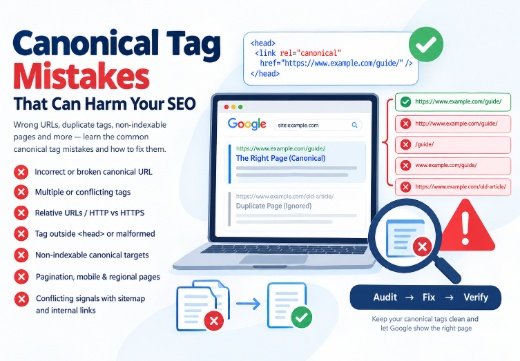
Canonical consistency is particularly important. If your sitemap contains:
https://example.com/service/

but the page's canonical tag points to:

https://example.com/services/

you are providing conflicting SEO signals.
I regularly find this problem during audits. If canonicalization is causing indexing issues on your website, see my guide to common canonical tag mistakes that cause SEO problems.
Important Images, Videos and News Content
XML supports extensions for additional content types.
Depending on the website, you may use:
- Image sitemap information
- Video sitemap information
- Google News sitemap data
- Alternate-language information
An XML schema provides the structure that search engines use to interpret this information.
Google confirms that XML sitemaps can provide additional information about images, videos, news content and localized versions of pages.
Do not confuse this with structured data. Schema markup is implemented primarily within individual pages to describe entities and content, while XML Sitemap SEO focuses on maintaining a clear and useful URL inventory for search engines. An XML sitemap performs a different job: helping search engines discover and understand the URLs available on a website.
What Should Not Be Included in an XML Sitemap for XML Sitemap SEO?
Your sitemap should not become a dumping ground for every URL your CMS generates.
I normally recommend excluding:
- 301 or 302 redirect URLs
- 404 or 410 URLs
- Pages containing noindex
- Duplicate URLs
- Non-canonical URLs
- Search-result pages
- Unnecessary URL parameters
- Login/account pages
- Cart and checkout pages where indexing is unnecessary
- Thin tag archives
- Staging or development URLs
- URLs blocked from crawling when they are not intended for search
Including poor-quality or non-indexable URLs makes sitemap reporting harder to interpret and can send inconsistent signals about which pages matter.
Google also advises against putting URLs in sitemaps that you do not want appearing in Search because unnecessary URLs can consume crawling resources.
This is where crawl budget becomes more relevant on very large websites. For a 50-page local business website, crawl budget is rarely a major concern. For ecommerce stores or directories containing hundreds of thousands or millions of URLs, controlling unnecessary crawl paths can become considerably more important.
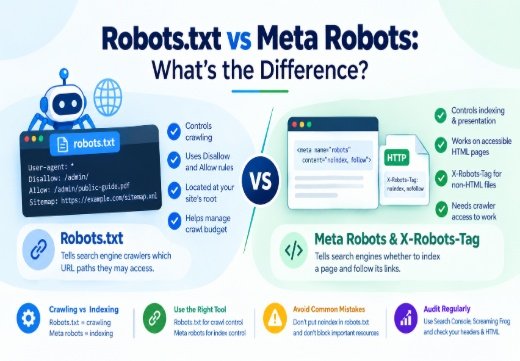
Your XML sitemap should also work alongside robots.txt, rather than contradicting it. Read my detailed comparison of robots.txt vs meta robots if you are deciding how crawling and indexing directives should be handled.
XML Sitemap Tags and Technical SEO Best Practices
A standard sitemap may contain elements such as <loc>, <lastmod>, <changefreq> and <priority>.
However, these tags are not equally important for modern SEO.
lastmod, priority and changefreq Tags
The lastmod tag can be useful when it accurately represents a significant page update.
For example, updating:
- Main page content
- Important internal links
- Structured data
- Product information
- Major page elements
could justify changing lastmod.
Changing a footer copyright date usually should not.
Google states that it may use lastmod when the value is consistently accurate. Google ignores the priority tag and changefreq tag. Bing has similarly stated that changefreq and priority are ignored while accurate lastmod information can help with freshness signals.
Another technical limitation to understand is sitemap size.
A single sitemap should contain no more than 50,000 URLs or 50 MB uncompressed for Google. Larger websites should divide URLs into multiple files and connect them through a sitemap index file.
For example:
/post-sitemap.xml
/page-sitemap.xml
/product-sitemap.xml
/category-sitemap.xml
can all be referenced through:
/sitemap_index.xml
Segmenting sitemaps can also make index coverage problems easier to diagnose.
How to Create, Submit and Audit an XML Sitemap
For WordPress websites, plugins such as Yoast SEO and Rank Math can automatically generate XML sitemaps.
Other useful options include:
- Screaming Frog SEO Spider
- XML Sitemap Generator
- Sitebulb
- CMS-native sitemap systems
For larger technical SEO audits, I often combine sitemap information with crawling data from Screaming Frog, Sitebulb and platforms such as Ahrefs, SEMrush and Moz.
The goal is not simply to confirm that sitemap.xml exists.
You should compare:
Crawlable URLs → Canonical URLs → Sitemap URLs → Indexed URLs
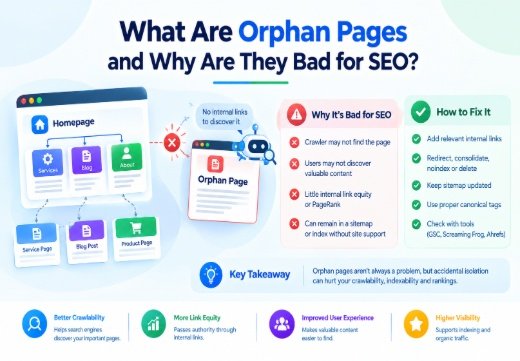
That comparison exposes problems such as pages missing from the sitemap, redirects inside the sitemap, orphan pages, duplicate canonical signals and URLs that Google is choosing not to index.
Once generated, submit the sitemap through Google Search Console and Bing Webmaster Tools.
You can also reference it inside robots.txt:
Sitemap: https://example.com/sitemap.xml
Both Google and Bing support sitemap discovery through robots.txt.
After submission, monitor sitemap processing and indexing information inside Google Search Console rather than assuming every submitted URL has been indexed.
If your website has thousands of URLs, persistent indexing problems or conflicting technical directives, working with a Technical SEO Consultant can help uncover issues that sitemap plugins alone cannot solve.

Areesh Ishtiaq
Freelance SEO Professional helping businesses improve visibility across Google Search, Google Maps and AI-powered search.
Explore Areesh IshtiaqFrequently Asked Questions
Not directly. Submitting an XML sitemap does not give a page an automatic ranking boost. Its primary purpose is to help search engines discover important URLs and understand which URLs you prefer them to crawl and index. Rankings still depend on content quality, relevance, authority, internal linking, technical SEO and other search signals.
Generally, no. A noindex directive tells search engines that you do not want the page indexed, while sitemap inclusion suggests the URL is important for search. Keeping noindex URLs out of the sitemap provides cleaner and more consistent indexing signals.
Yes. Your XML sitemap should normally contain the preferred canonical URLs. Avoid including duplicate versions that canonicalize elsewhere. Sitemap inclusion itself can act as one of several canonicalization signals used by Google.
The sitemap should update whenever important URLs are created, removed or significantly changed. Dynamic websites normally automate this process through their CMS or SEO plugin. Avoid artificially changing the lastmod date unless the actual page has received a meaningful update.
Yes, they perform different functions. An XML sitemap helps search engines discover URLs you want crawled and potentially indexed, while robots.txt primarily controls crawler access to specified paths. You can also place your sitemap URL inside robots.txt so search engine crawlers can discover it more easily.